Project
Pictiva
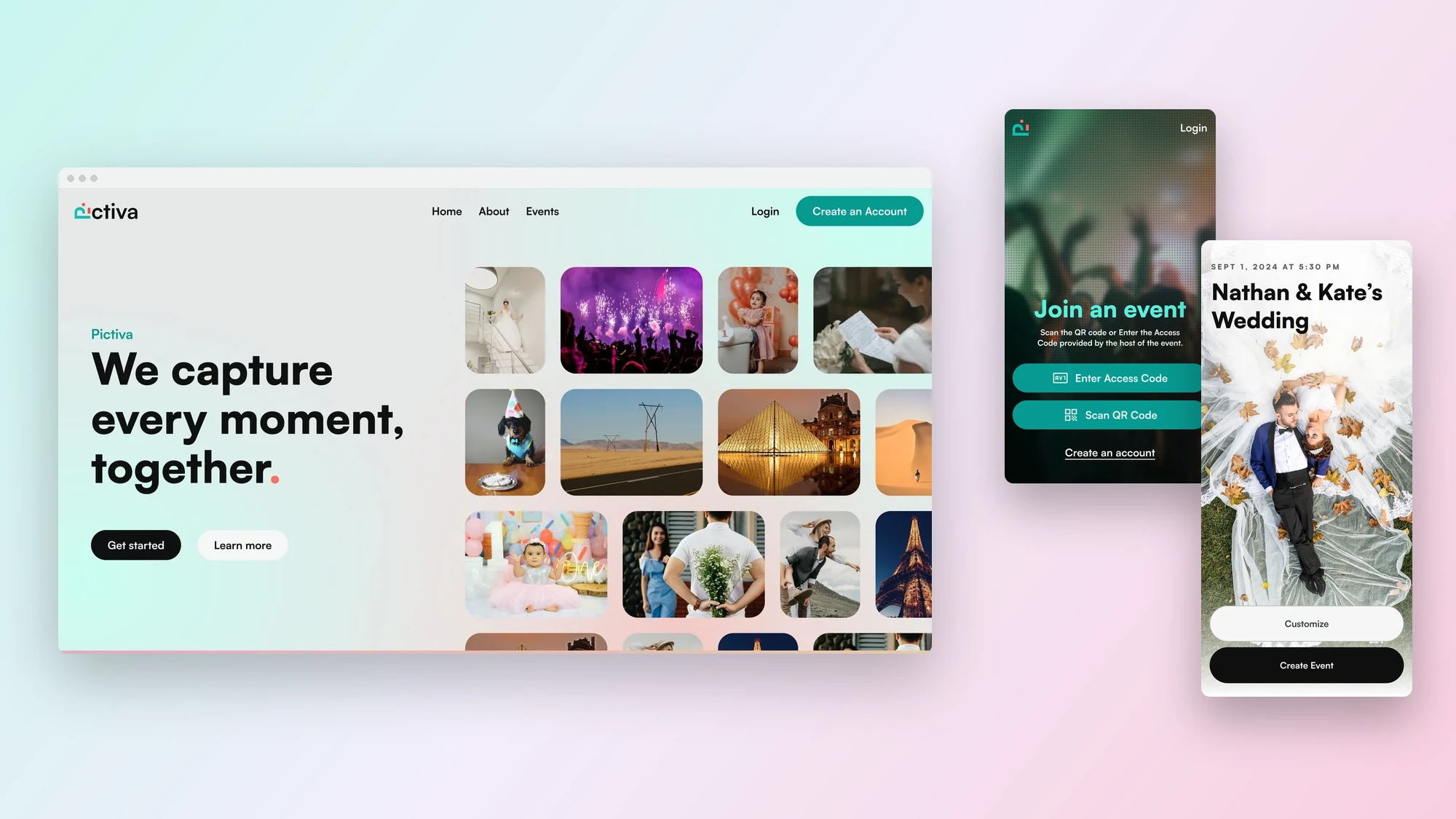
Pictiva is a photo sharing app for events. A host creates an event and shares one link or QR code, and every guest's photos land in a single shared gallery that the host can browse, curate and keep.
We designed the brand, the marketing website, the web app hosts use to set up and manage events, and the mobile app guests use to join, add photos and send a message.
What we did
- Brand identity
- Web design
- Web app design
- Mobile app design
Platforms
- Website
- Web app
- Mobile app
Tools
- Figma
Overview
Every guest's photos, in one place.
Challenge
At a wedding or a birthday, the best photos are spread across a dozen phones. Pictiva gives the host one link and one QR code, and every guest's photos land in the same gallery.
Approach
We designed the brand, the public website, the web app a host uses to set up an event, and the mobile app guests use to join and add their photos.
01 / Website
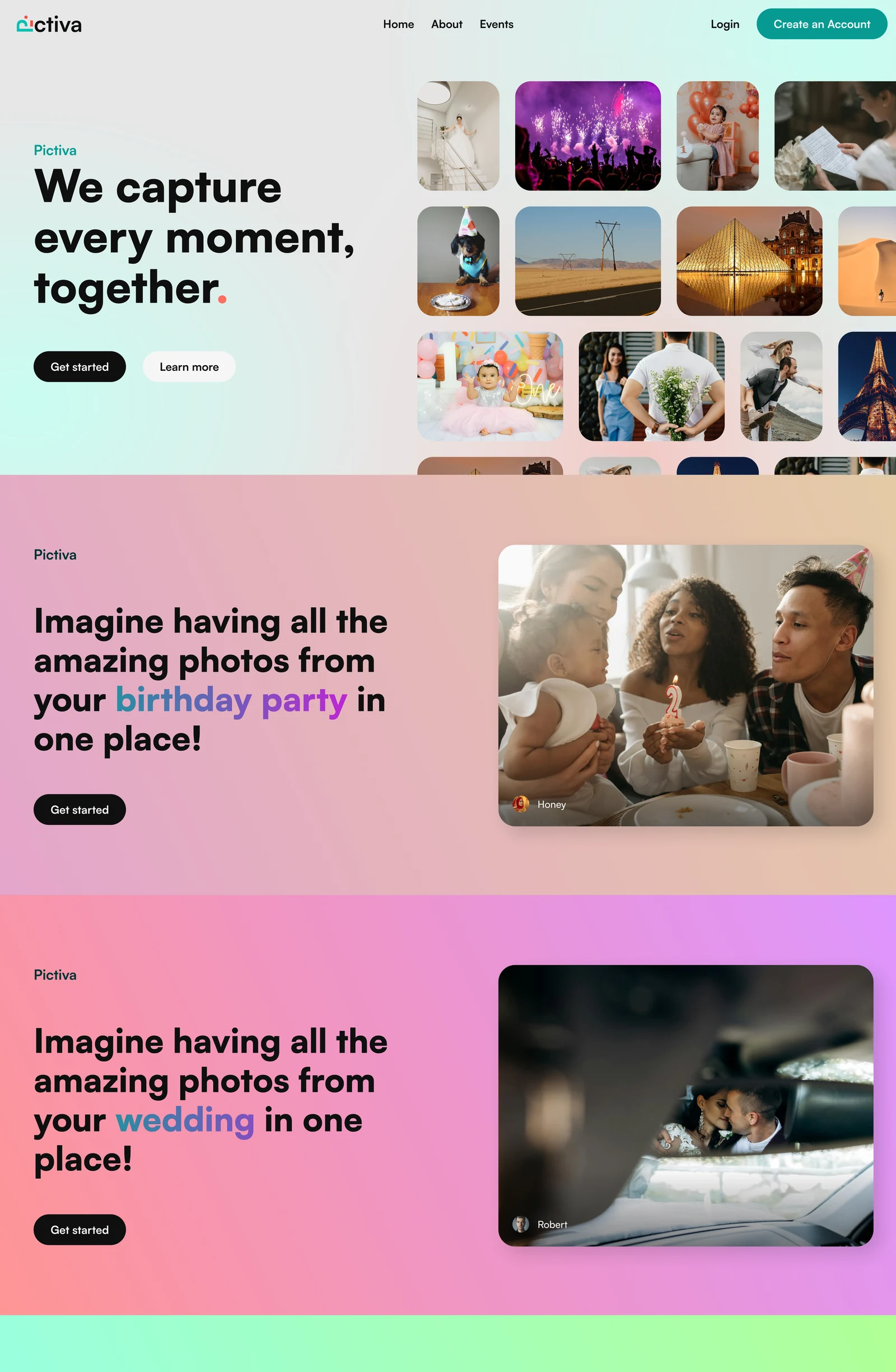
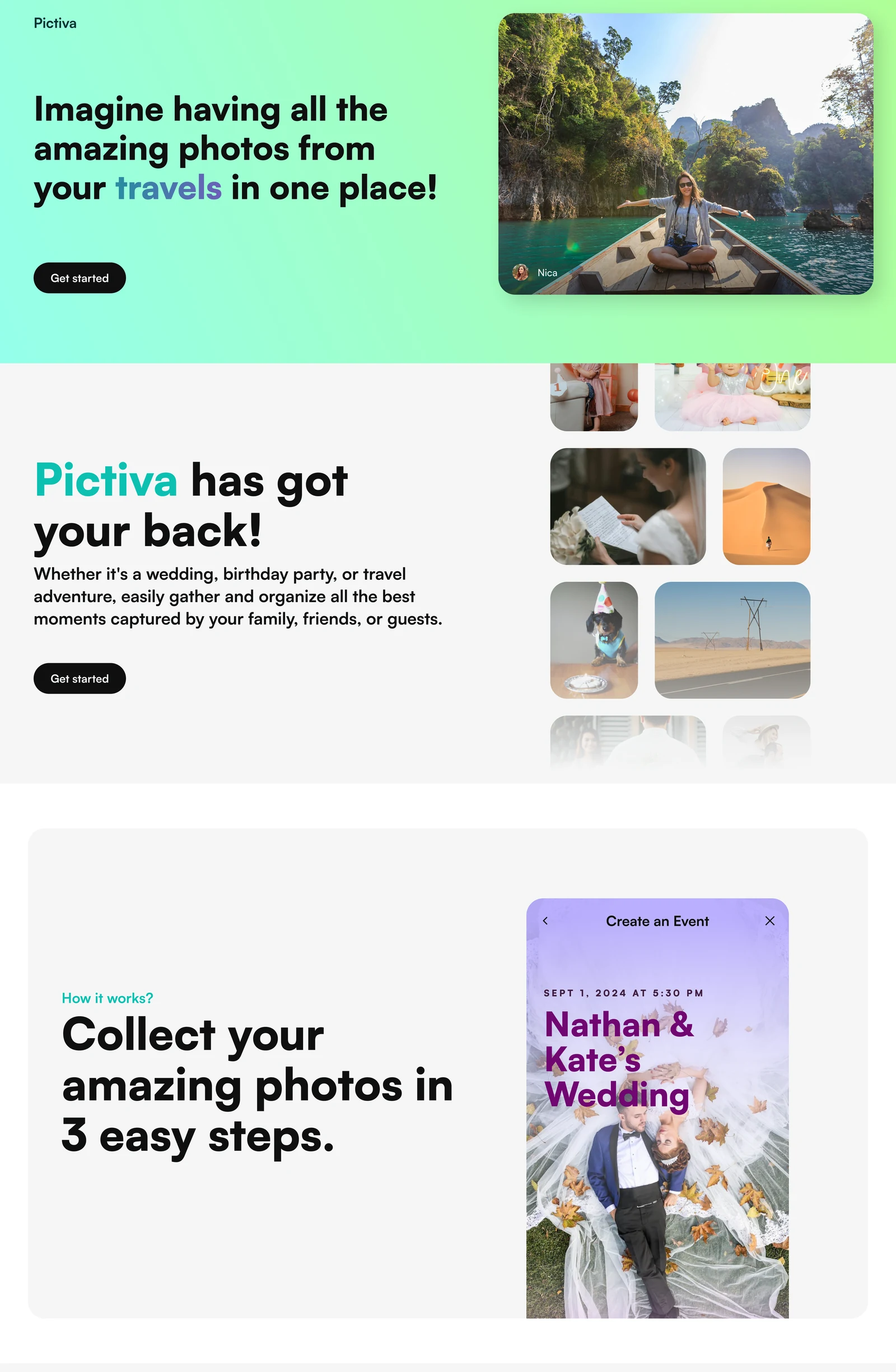
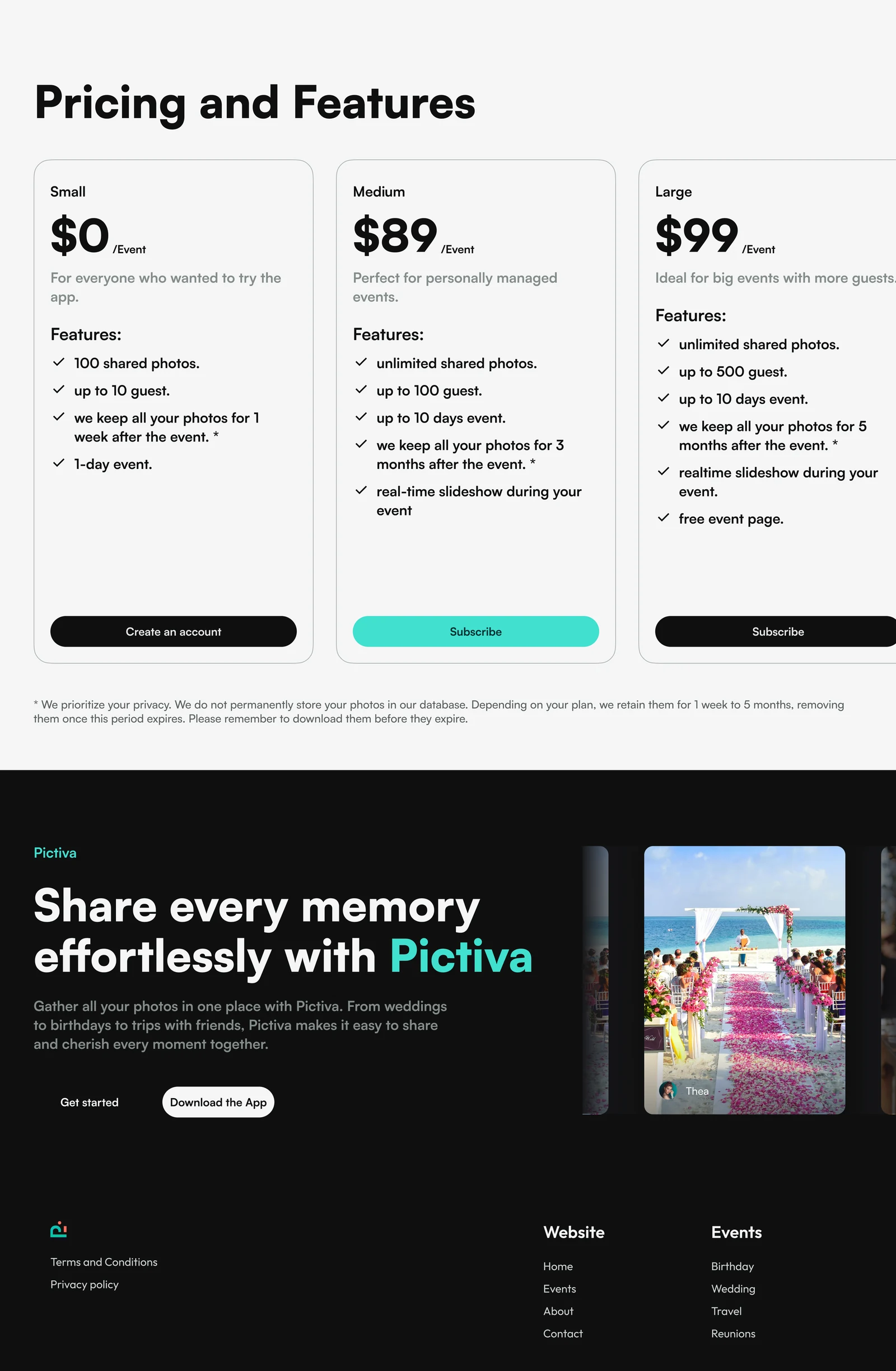
The whole home page, in one scroll
The public site leads with the promise, we capture every moment together, beside a collage of real event photos. Below it, one colour for each kind of event, how it works in three steps, pricing and a closing call to download the app.
Scroll this page and the website scrolls inside the browser, from the first headline to the footer.
02 / Design system
Quiet neutrals, a teal and a coral full stop
Pictiva's interface stays out of the way of the photos: black type, soft grey surfaces and a single teal for actions. The brand colours come from the events themselves, violet and plum on posters and a coral full stop at the end of the headline.
The same pieces are used on the website, the web app and the mobile app, so a guest who scans a QR code and a host who builds the event see one product.
Ink and neutrals / Black type and quiet grey surfaces
Brand / Teal for actions, violet and plum on posters, coral as the full stop
Typeface / Satoshi
Satoshi / Brand, website, web app and mobile app
ABCDEFGHIJKLMNOPQRSTUVWXYZ
abcdefghijklmnopqrstuvwxyz
0123456789
Buttons
03 / Mobile app
Host an event, join it, share the photos
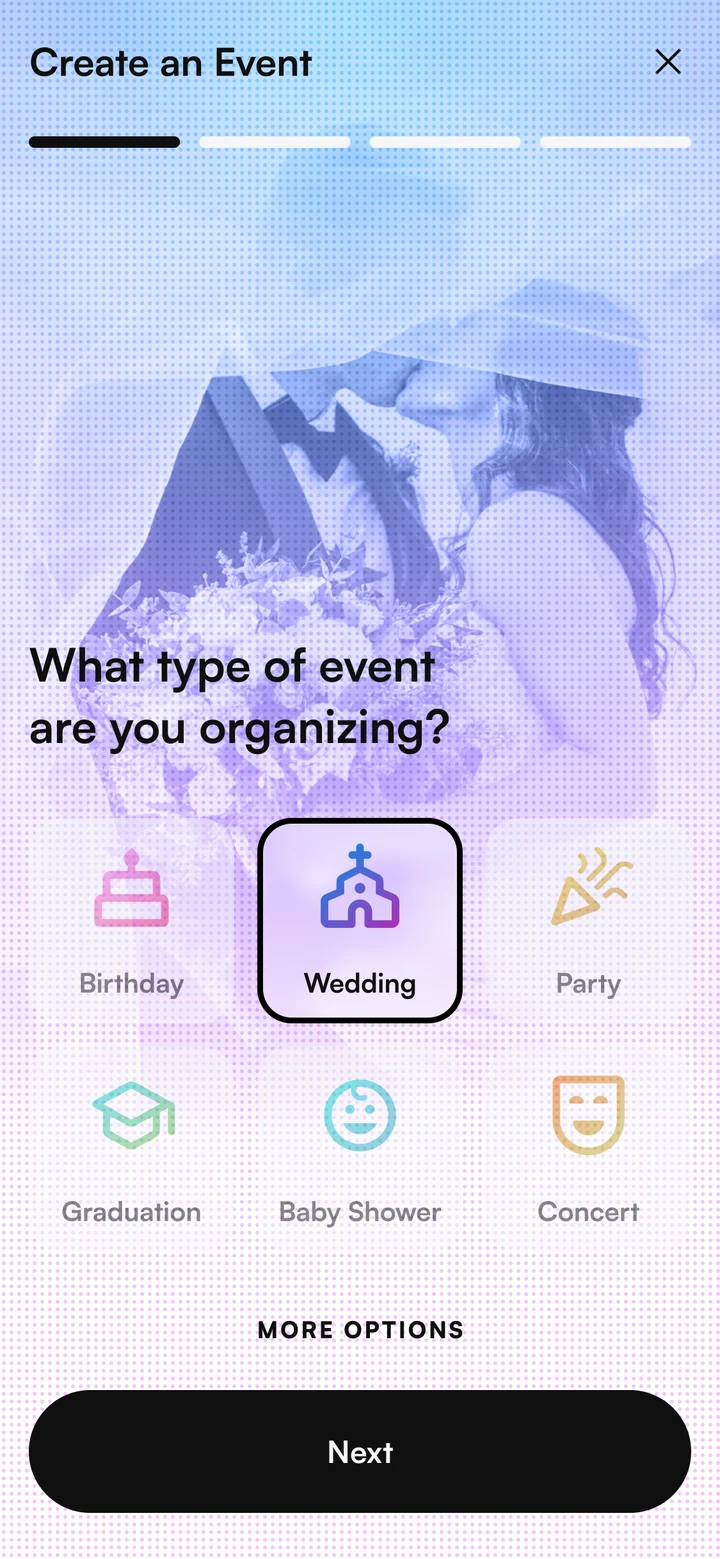
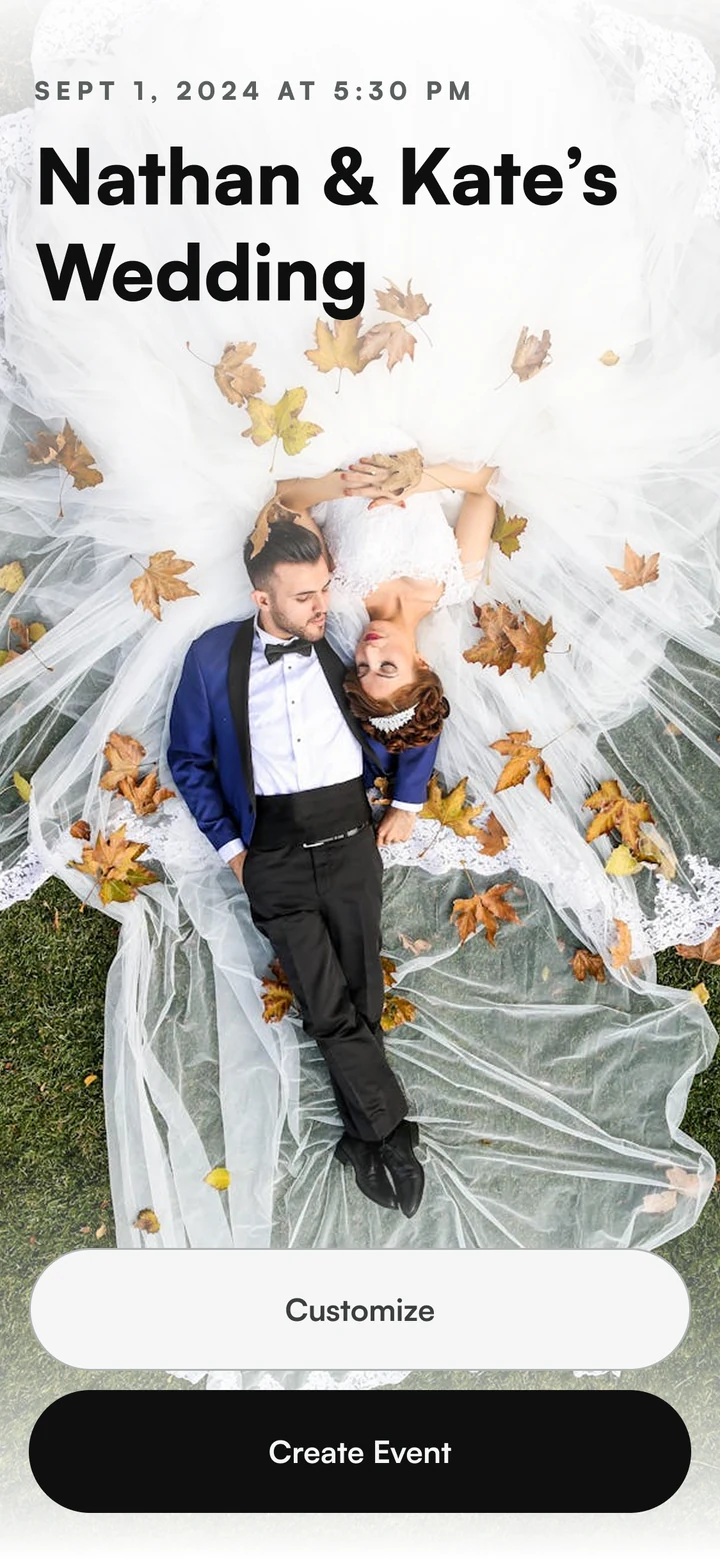
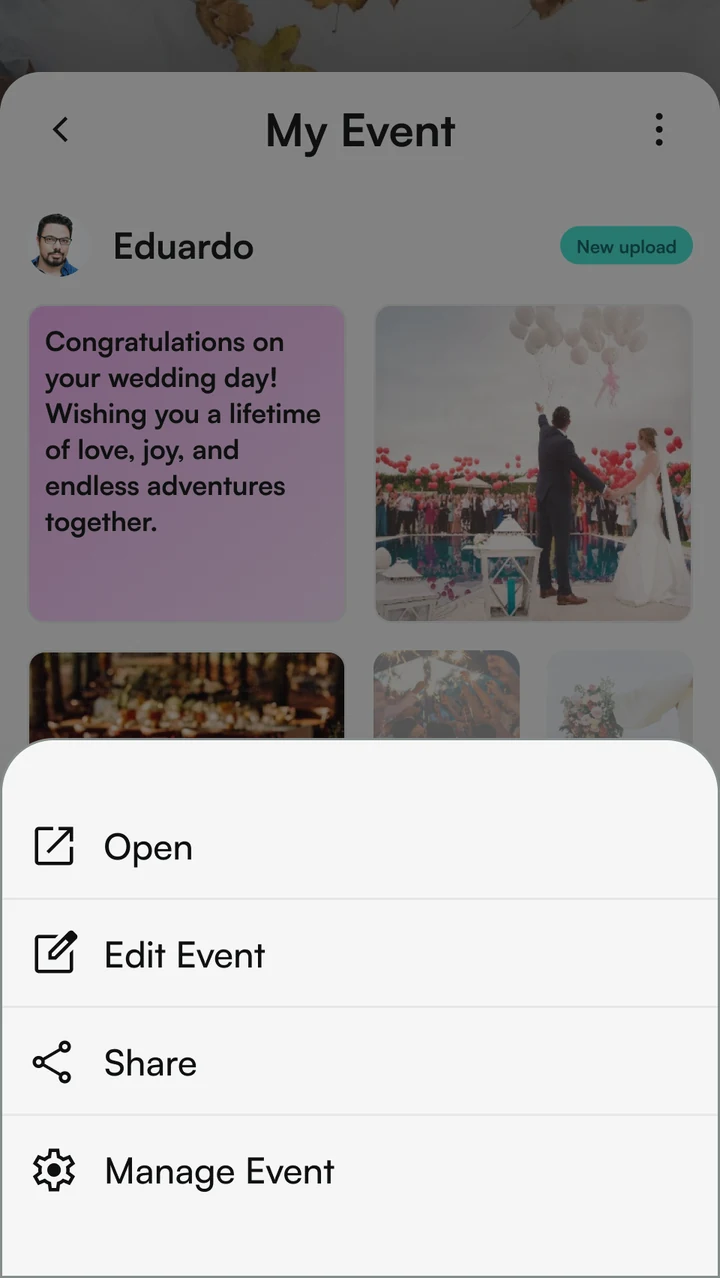
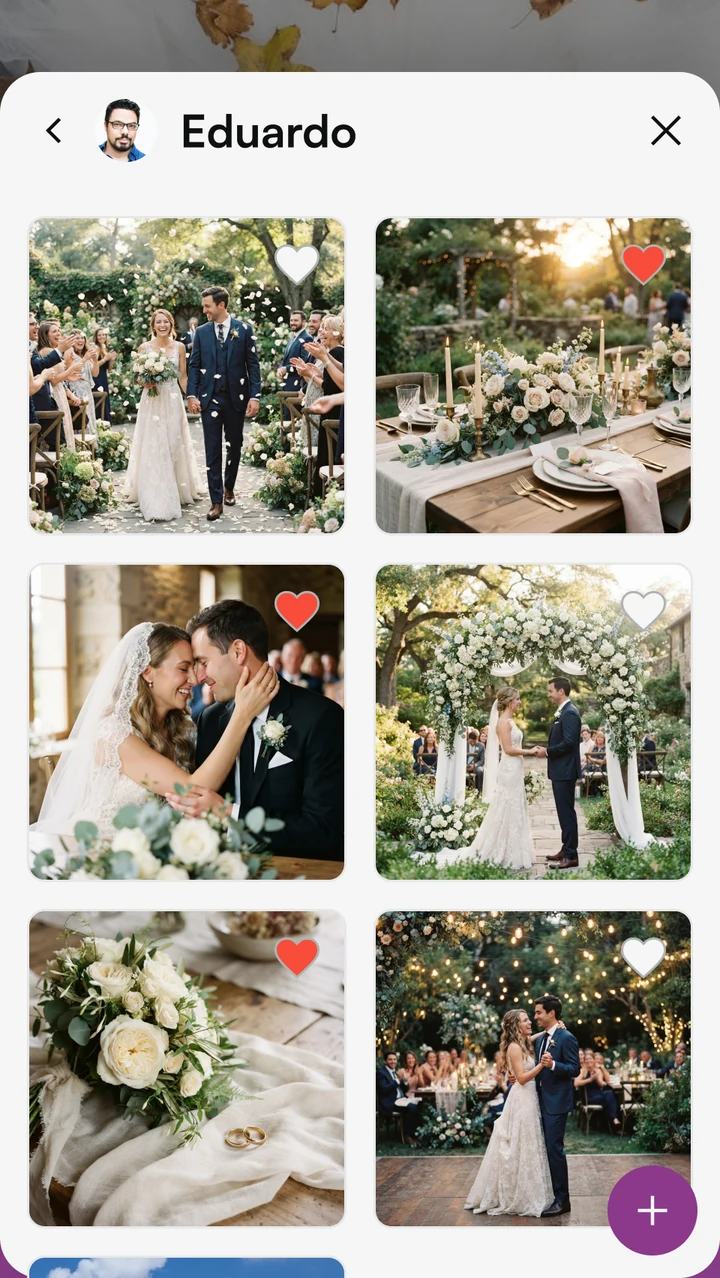
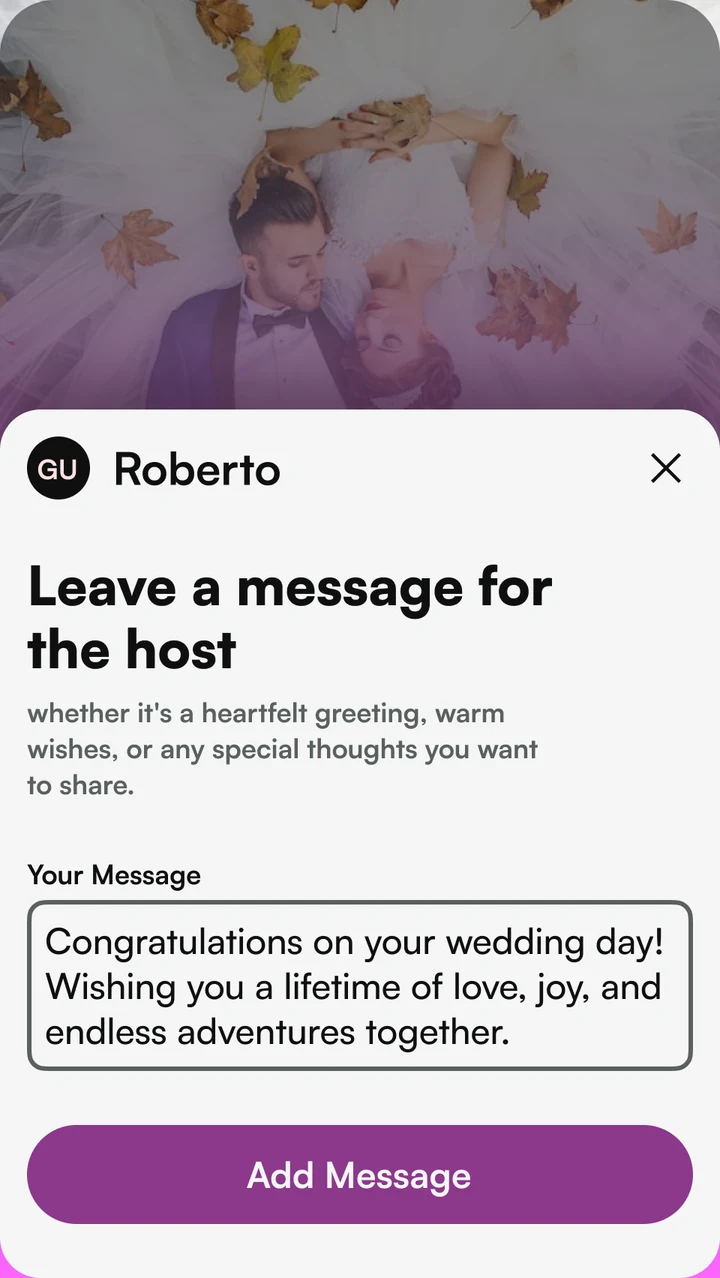
One app for both sides of an event. A host creates the event, shares it and looks after the photos. A guest joins with a code or a QR code, adds photos while the event is on, and can leave a message for the host.
Host
01 / HostChoose the event type
02 / HostPreview the invitation
03 / HostShare and manage events
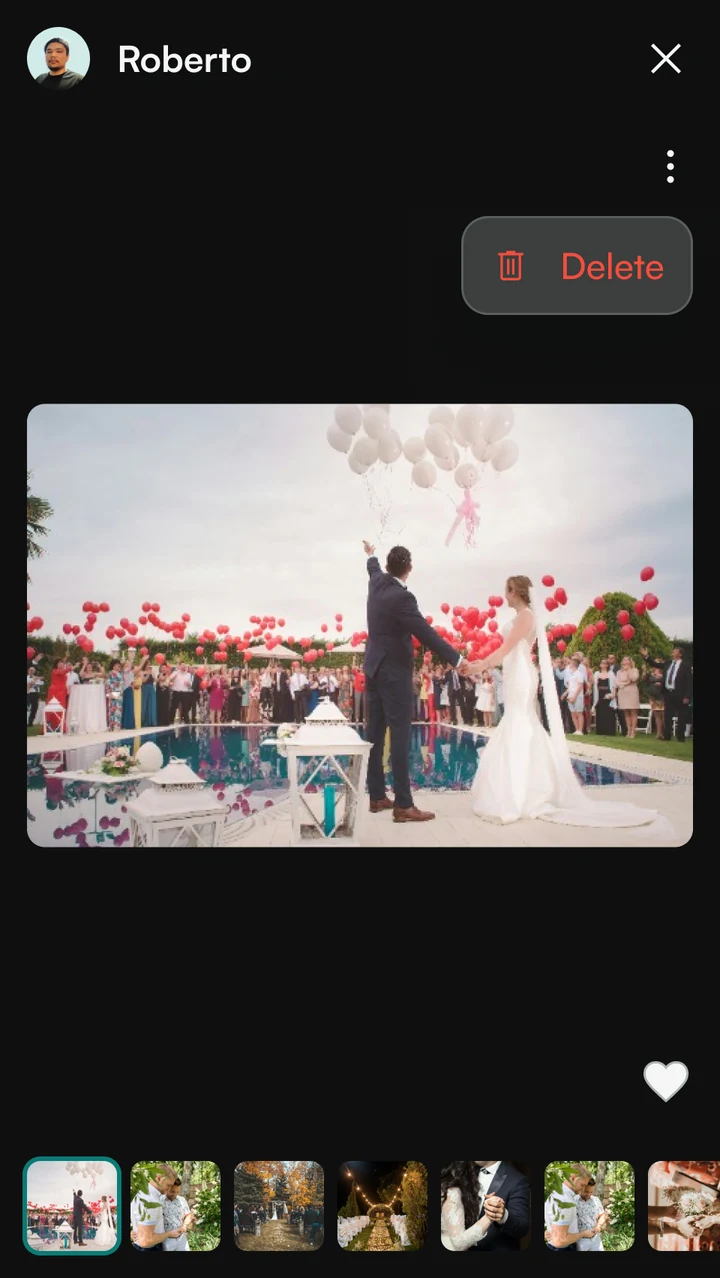
04 / HostView the event photos
05 / HostManage photos
Guest
01 / GuestJoin with a code or QR

02 / GuestWelcome to the event

03 / GuestAdd photos during the event
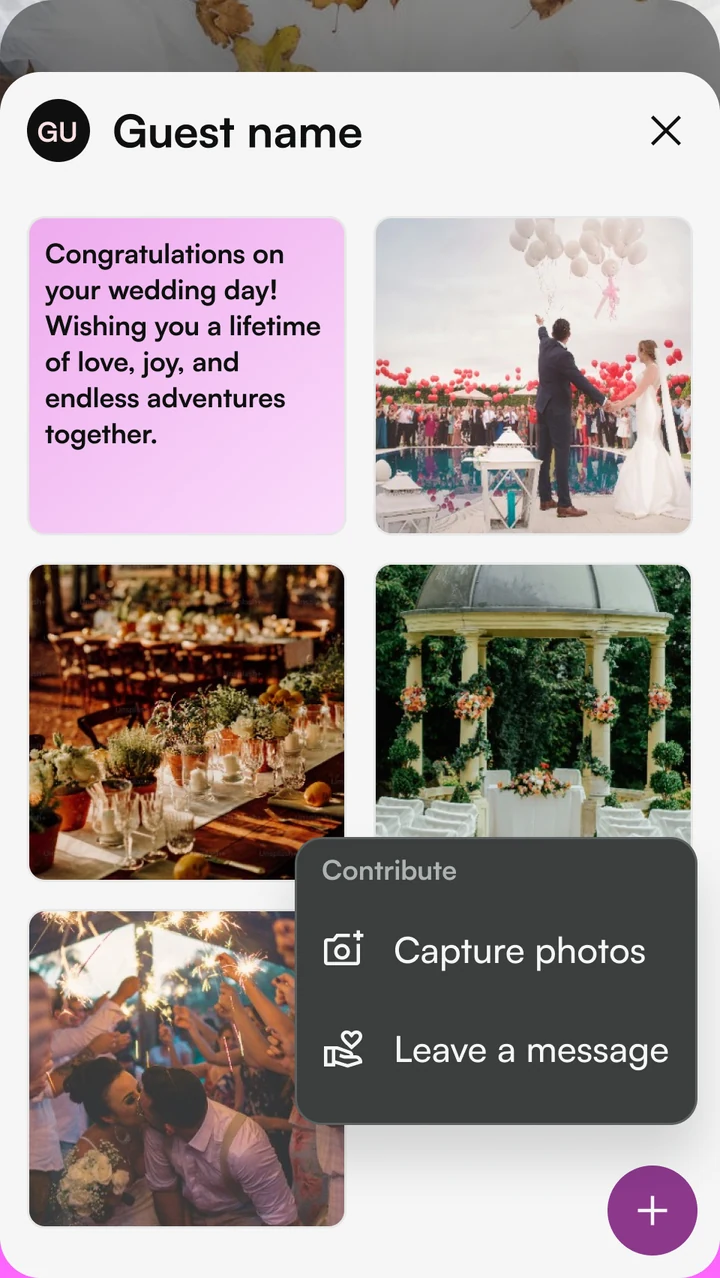
04 / GuestSend a message to the host
04 / Web app
Set up and manage events on a bigger screen
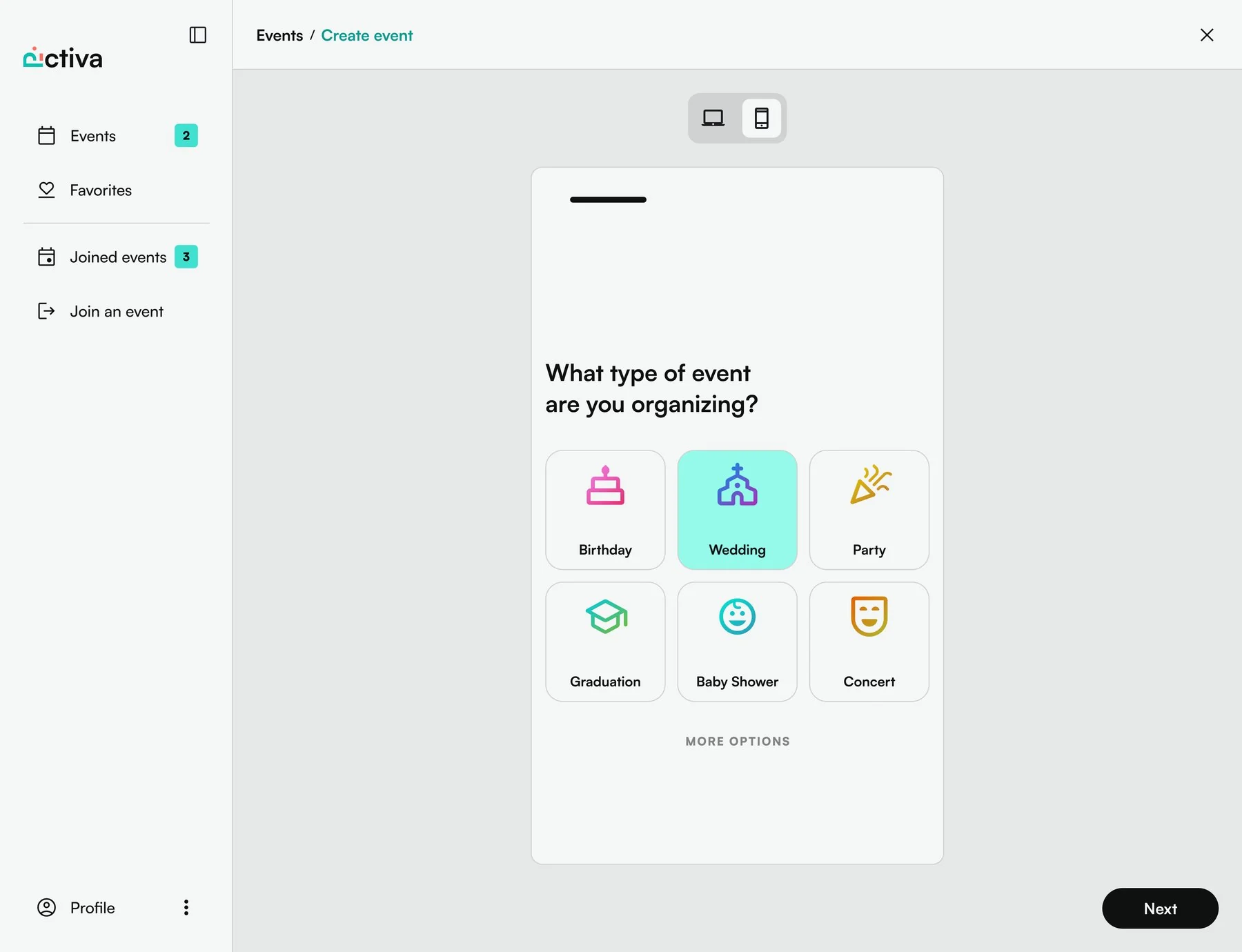
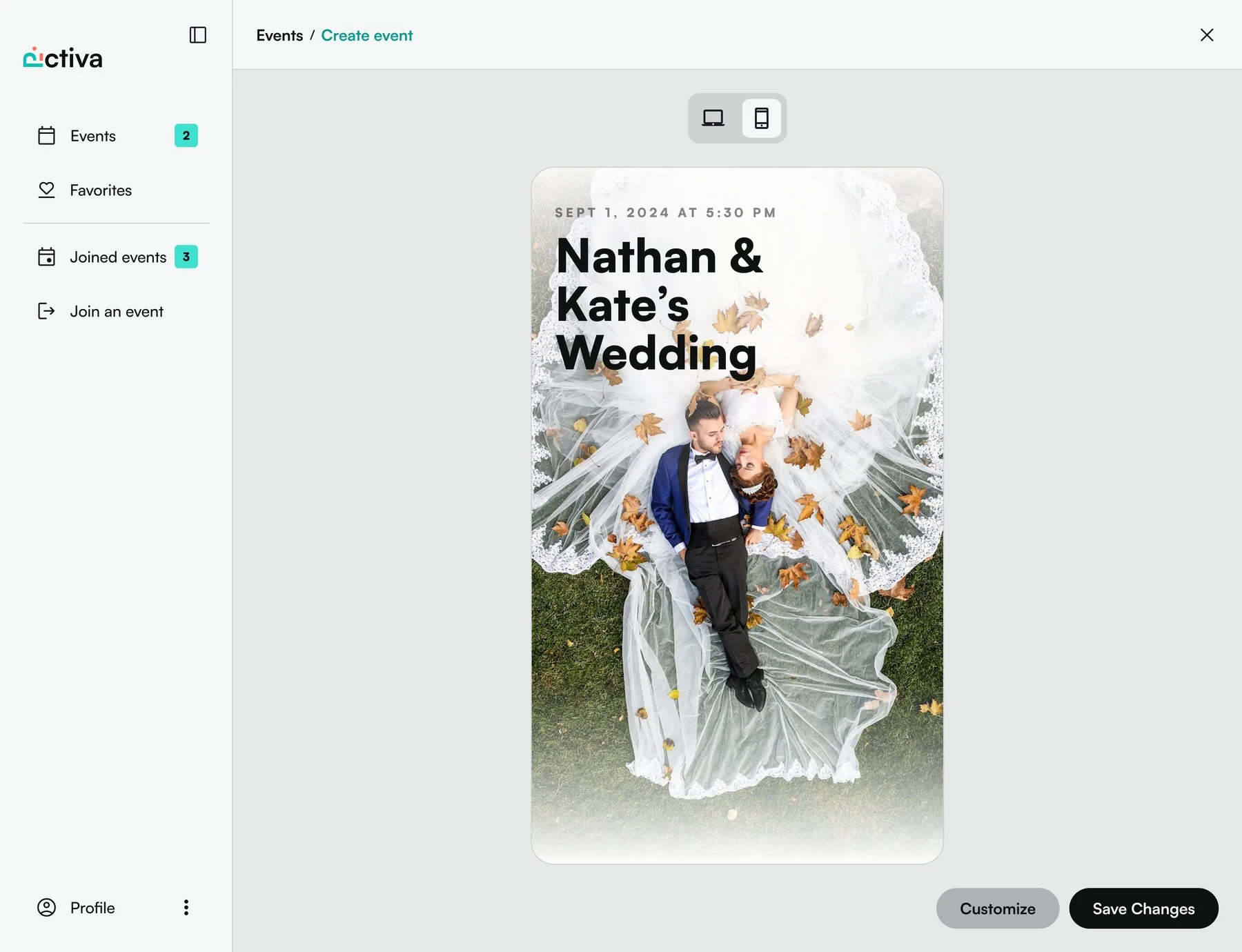
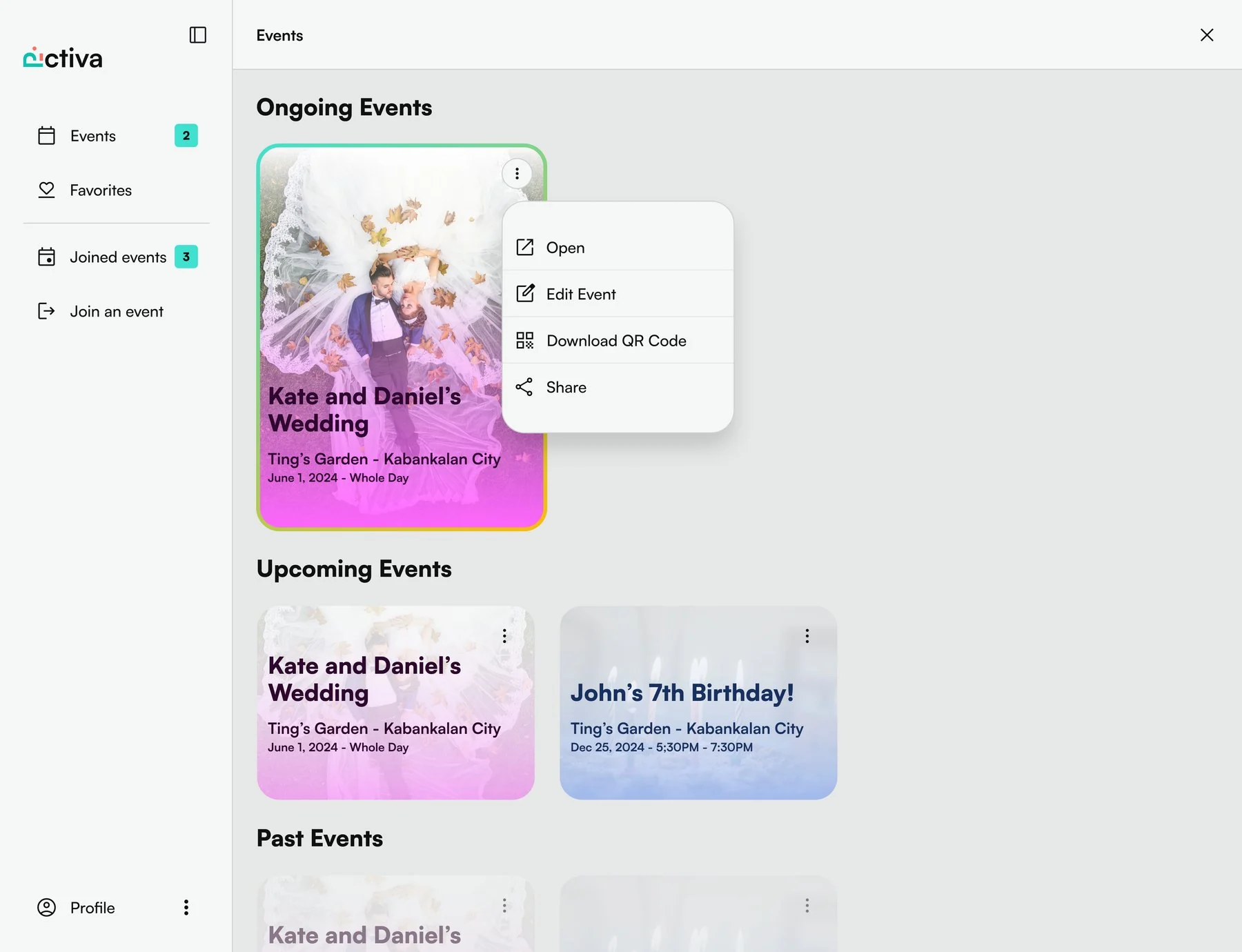
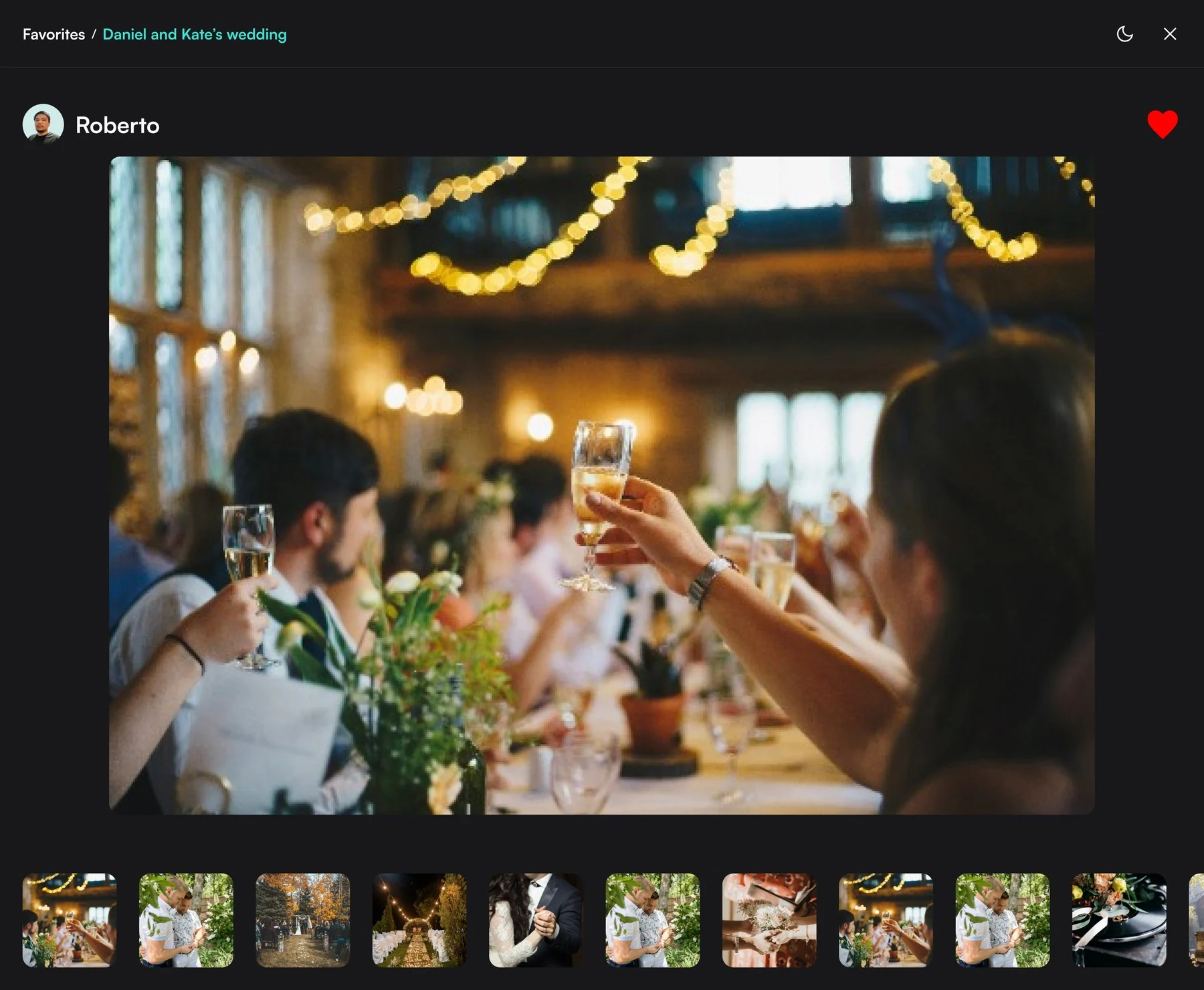
The web app is the host's control room. Pick the event type, preview and customise the invitation, then share it or download its QR code. Ongoing, upcoming and past events sit in one list, and every photo opens full screen in a viewer with the whole gallery along the bottom.
Create and invite
01 / Create and inviteChoose the event type
02 / Create and invitePreview and customise
03 / Create and inviteShare or download the QR code
Manage events and photos
04 / Manage events and photosManage your events
05 / Manage events and photosView and manage photos

Your project
Have something like this in mind? Tell us what you are building and we will reply with a plan and a price range.